
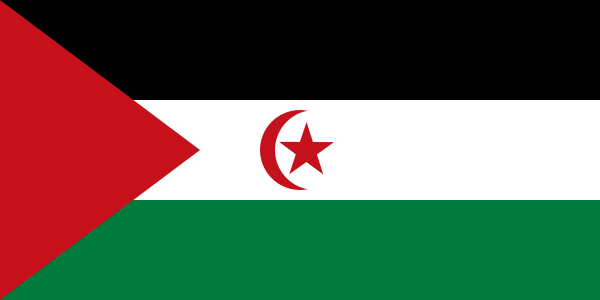
The best eSIM for Western Sahara, compared for you: price, data, coverage and activation.
Compare eSIM plans for Western Sahara: data, duration, prices and operators. Find the best offer and activate it now.
Finding the best Western Sahara eSIM plan requires a little more attention than choosing one for a highly touristy destination: coverage depends heavily on your itinerary, particularly between coastal cities and vast desert areas. This guide helps you choose the right amount of data, the most suitable network and install your eSIM without unpleasant surprises before departure.
An eSIM is a digital SIM card built into your phone: you buy a plan online, receive a QR code or activation code, then download the mobile profile in your device settings. It serves the same purpose as a physical SIM — identifying your line on a network and providing access to mobile data — without handling a physical card. For a trip to Western Sahara, you can therefore buy and install your plan from home, provided you have a reliable Wi-Fi connection.
The main practical difference from a physical SIM is simplicity. You do not have to look for a shop in El Aaiún, Dakhla or Smara, show your passport at the counter or remove your French SIM from your phone. A travel eSIM is generally a prepaid data-only plan: it provides Internet access for a set period, without a contract, and relies on one or more Moroccan partner networks available in the territory.
Installation and activation are two different things, and this is essential to understand. Install the profile before departure, over Wi-Fi, but do not necessarily select this line for data immediately. Depending on the provider, validity starts either upon installation or when the eSIM first connects to a local network. Read this rule before scanning the QR code: for a short stay, starting a 7-day plan three days too early would be particularly frustrating.
The best Western Sahara eSIM plan is above all the one that uses a partner network actually available along your route, rather than the one offering the most gigabytes. The territory’s mobile connectivity mainly relies on Moroccan operators, particularly Maroc Telecom, Orange Maroc and inwi. Travel eSIMs do not always display the exact operator before purchase; check the list of partner networks and favor an offer that allows manual network selection if several partners are available.
In urban areas such as El Aaiún (Laâyoune) and Dakhla, a 4G connection is generally the most realistic and useful option. It is more than sufficient for navigation, messaging, bookings, reasonable video calls and occasional photo sharing. 5G may appear on some phones or in certain locations, but it should not be the main criterion for your purchase: availability remains more localized than in major European cities, and many travel plans limit access to 4G/LTE anyway.
As soon as you leave built-up areas, the situation changes quickly. On the main roads around El Aaiún, toward Boujdour or Dakhla, you will often find a signal, but with significant variations depending on the distance from antennas, terrain and weather. Farther south, inland or on isolated tracks, you should expect areas without service. An eSIM connects you to the existing mobile network; it does not replace a satellite beacon or careful planning for a desert excursion.
In favorable conditions, a good 4G connection can provide comfortable speeds for everyday use, but do not organize a critical workday around a promised speed. Slowdowns are possible at certain times, when the network is busy or in remote areas. Download your offline maps, documents, translations and important content before setting out: this precaution is more valuable than a plan advertising high theoretical performance.
A dedicated eSIM for Western Sahara is often the best choice if you are staying in the territory and want the best data-to-price ratio. It is designed to connect locally to available networks and prevents you from paying for multi-country coverage you will not use. However, pay attention to the wording: some providers list Western Sahara separately, while others include it under Morocco. You must verify that the territory is explicitly included in the list of covered destinations.
A regional plan becomes more worthwhile if your trip combines several countries. This is especially true for an itinerary passing through mainland Morocco before El Aaiún or Dakhla, or a trip including the Canary Islands, Mauritania or North Africa more broadly. One eSIM avoids switching between several profiles and can remain active during stopovers. In return, the price per gigabyte is often less favorable than with a national plan.
Never assume that an “Africa” eSIM automatically covers every border and territory. Some regional offers include Morocco but not Western Sahara; others cover both, using a different partner network. If you continue to Mauritania, also check tethering restrictions, the available data allowance and whether topping up during the trip is possible. Long distances and border crossings are precisely when you need a connection that works without having to search for Wi-Fi.
Traveler feedback shows that eSIMs are especially appreciated for pre-trip preparation: arriving with Maps, WhatsApp and accommodation details already accessible is a real comfort in a destination where tourist SIM options may be less straightforward than elsewhere. Satisfied users have generally installed the profile over Wi-Fi before boarding, kept their usual line for calls and activated eSIM data only once on site.
The main source of frustration concerns actual coverage outside cities. Some travelers expect a continuous connection because their plan advertises a large data allowance or the word “5G”; in reality, the limitations mainly come from local infrastructure and geography. An eSIM that works very well in Dakhla may become intermittent or even useless several dozen kilometers away on a track or in a desert area.
Reviews also highlight the importance of support and setup instructions. The most common problems are not necessarily network failures: data roaming disabled, the wrong line selected for Internet, a missing APN or an already-used QR code. A provider offering clear help in French or English, troubleshooting instructions and top-up options may be worth a slight extra cost if you are traveling alone or need data for work.
The safest method is to prepare your eSIM at home and then activate it properly once you arrive. Allow about ten minutes over Wi-Fi and keep the QR code somewhere outside your inbox, such as in your files or printed out.
Before paying, make sure your phone accepts an eSIM and is unlocked. Also check that an eSIM slot remains available: an iPhone or Android phone can store several profiles, but the number of lines active simultaneously depends on the model. If your work phone is managed by a company, a security policy may also prevent you from adding a profile.
Choose a plan whose destination explicitly covers Western Sahara, then provide an accessible e-mail address. You will usually receive a QR code, sometimes accompanied by an SM-DP+ address and a manual activation code. Never share this QR code: it can generally be used only once and should be treated as the digital equivalent of your SIM card.
On iPhone, go to Settings > Cellular (or Mobile Data) > Add eSIM > Use QR Code. On Android, the path varies slightly by brand, but is often found under Settings > Connections/Network & Internet > SIM Manager > Add eSIM. Keep Wi-Fi active throughout the download and give the line a clear name, such as “Sahara data”.
On arrival, activate the eSIM line, select it as your mobile data line, then enable data roaming only on this eSIM if the provider requires it. Disable mobile data on your French SIM to avoid out-of-plan charges. The APN is often configured automatically; if Internet access does not start, enter the APN supplied in the instructions exactly, without adding spaces or changing unnecessary fields.
Start by turning airplane mode on and off for about thirty seconds, or restart the phone. Then check the three most common causes: the eSIM is activated, data is assigned to the correct line and roaming is allowed on that line. If nothing changes, try manually selecting a partner network and contact support with screenshots of the settings; do not delete the profile before receiving a reply, as you may be unable to reinstall it.
Yes, you can generally keep your usual number while using a travel eSIM for Internet, as most recent smartphones support dual SIM. Keep your French or Belgian SIM active to receive important SMS messages, but set the Western Sahara eSIM as the data line. Disable automatic mobile data switching, if your phone offers it: it could use your original line when the eSIM signal weakens.
Most travel eSIMs are data-only plans. They therefore provide neither a local Sahrawi number nor traditional calls or SMS. This is not a problem for WhatsApp: your account remains linked to your usual number and continues to work with the eSIM’s Internet connection. Signal, Telegram, FaceTime Audio, Messenger and Wi-Fi calling work on the same principle. To contact a hotel or driver who does not use these apps, consider using voice roaming on your main line or ask the accommodation for a WhatsApp contact.
Hotspot lets you connect a computer, tablet or travel companion’s phone to your eSIM data. It works with many offers, but not universally: some plans restrict or prohibit hotspots, particularly so-called unlimited offers. Check this before purchasing if you plan to work. One hour of video conferencing, cloud synchronization or a computer update can use far more data than typical smartphone activities; protect your allowance by disabling automatic backups and updates.
If you run out of data, the best solution is a top-up, provided the provider allows it for your plan. Buy one before you become completely dependent on Wi-Fi: you often need to log in to your account or receive an e-mail confirmation. If no top-up is available, you will need to buy and install a new eSIM. In all cases, monitor usage in your phone settings and the provider’s app, as the counters do not always update at the same time.
For light use, allow around 1 to 3 GB per week for messages, maps and searches; plan for 5 to 10 GB if you frequently post photos, use social media heavily or work occasionally. Video calls and hotspot use increase this requirement very quickly.
In principle, yes, provided the plan covers the territory and you have activated the line, mobile data and eSIM roaming. Still, keep important information available offline: registering on the network may take a few minutes, and coverage can vary depending on your location within the airport.
It depends on the provider: validity often begins at the first connection to the local network, but sometimes starts upon installation. Check this information before scanning the QR code and, if in doubt, install the profile without activating it as the data line.
No, an eSIM is normally linked to a single device, and its QR code can generally be used only once. To connect several devices, use your phone’s hotspot if the plan allows it, or buy a separate eSIM for each phone.
Refunds are rarely automatic: providers often refuse eSIMs that have already been installed or activated. Contact support quickly with screenshots of the settings, the displayed network and the steps already attempted; do not delete the profile before receiving instructions.
Do not rely on a data-only eSIM for standard emergency calls, as it generally does not include voice service. Keep your main SIM active for telephony if possible, note useful contacts before departure and plan an appropriate communication solution for very remote areas.
Compare the 0 eSIM plans available above and find the perfect offer for your stay in Western Sahara.
See all plans







 Airalo
 Holafly
 Saily
Saily YesSim
 DrimSim
 Ubigi
Ubigi