
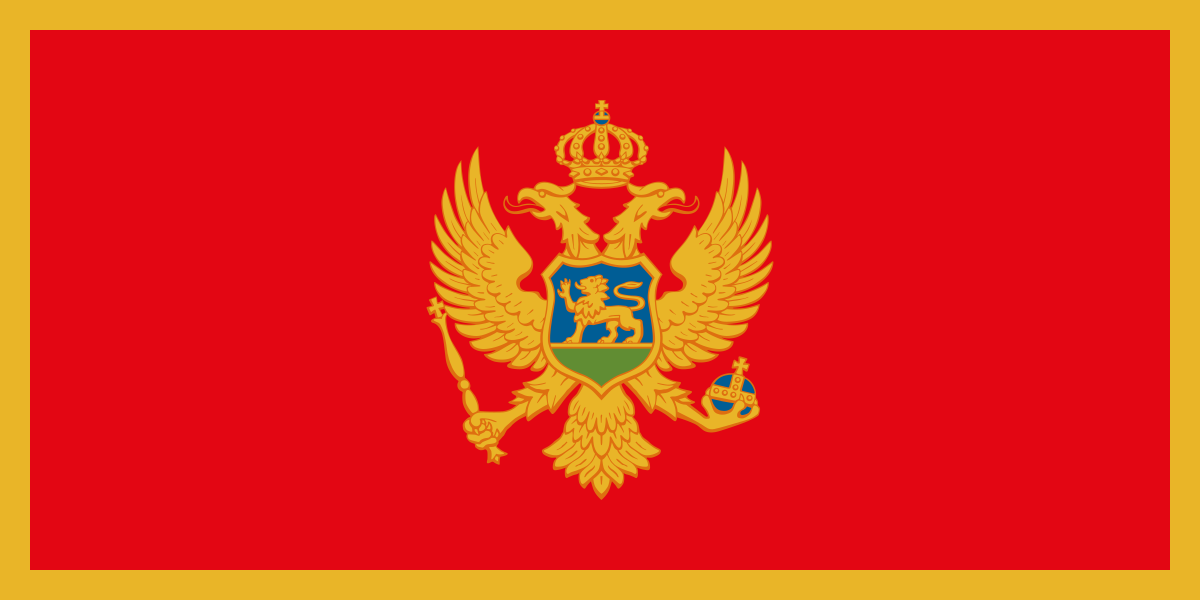
The best eSIM for Montenegro, compared for you: price, data, coverage and activation.
Compare eSIM plans for Montenegro: data, duration, prices and operators. Find the best offer and activate it now.
Each provider's best plan for this country, with the real price.
| Provider | Data | Duration | Price | Price/GB | |
|---|---|---|---|---|---|
 Saily ★ 4.7 · Review | 20 GB | 30 days | $37.10 | $1.86 | View → |
 Ubigi ★ 4.4 · Review | 20 GB | 30 days | $45.13 | $2.26 | View → |
 YesSim ★ 4.3 · Review | 10 GB | 30 days | $28.08 | $2.81 | View → |
 DrimSim ★ 4.1 · Review | 5 GB | 30 days | $15.70 | $3.14 | View → |
 Airalo ★ 3.9 · Review | Unlimited | 10 days | $32.09 | — | View → |
A comparison of the cheapest plans, all providers combined.
| Provider | Data | Duration | Price | Price/GB |
|---|---|---|---|---|
Airalo | 1 GB | 7 days | $4.01 | $4.01 |
Saily | 1 GB | 7 days | $4.01 | $4.01 |
DrimSim | 1 GB | 7 days | $4.98 | $4.98 |
Ubigi | 500 MB | 30 days | $5.01 | $10.03 |
Airalo | 1 GB | 7 days | $5.52 | $5.52 |
YesSim | 1 GB | 7 days | $6.02 | $6.02 |
Choosing the best Montenegro eSIM plan is not simply about picking the offer with the most data. Partner network, actual validity period, tethering, mountain routes and phone settings all make a difference. Here is how to buy, install and use an eSIM that is genuinely suited to your trip, from Kotor to the northern parks.
An eSIM is a digital SIM card built into your phone. Instead of inserting a plastic card, you download an operator profile. After purchase, the provider generally sends you a QR code, an installation link or a manual code, allowing your smartphone to register a new mobile plan. You can easily purchase and install this profile before departure, as long as you have reliable Wi-Fi, and only activate the data once you arrive in Montenegro.
Compared with a physical SIM, an eSIM saves you from having to find a shop at the airport, completing the formalities sometimes required for a local card and risking the loss of your French SIM. It is particularly convenient when travelling because it works alongside your usual line. Your French SIM can continue handling calls and SMS, while the Montenegro eSIM card provides local data or travel roaming.
In practice, an eSIM rarely includes a Montenegrin phone number: travel plans are usually data-only, meaning they are designed for mobile Internet. The profile connects to a local partner network, and your phone then uses that connection for Maps, WhatsApp, bookings, banking apps and Internet calls. The key point is therefore to check both your device’s eSIM compatibility and whether it is unlocked: a phone locked to an operator may reject a profile purchased elsewhere.
The best eSIM for Montenegro is the one that uses the right partner network for your itinerary, not necessarily the one promising the most data. The country’s main networks are Crnogorski Telekom, One Crna Gora and m:tel. Depending on the eSIM provider, your plan may use one of these networks or switch between several partners. Check this information before paying, especially if you are travelling beyond the coast.
In Podgorica, Nikšić, Budva, Kotor, Tivat, Bar and Herceg Novi, 4G is normally sufficient for navigation, social media, occasional video calls and moderate streaming. 5G is available in some urban and tourist areas, but it should not be your only criterion: an excellent 4G signal often provides a more stable experience than intermittent 5G. Speeds depend heavily on the time of day, summer crowds and your exact location in the bays or old town areas with thick walls.
Montenegro’s terrain changes the situation dramatically. Along the coast, the roads around the Bay of Kotor and the Budva Riviera are generally well served, but tunnels, isolated coves and winding roads can cause temporary outages. In the Durmitor mountains, around Žabljak, in Biogradska Gora National Park, on certain stretches towards Plav and Gusinje or in inland villages, the signal can become weak or unavailable. An eSIM cannot create coverage where the mobile network does not reach.
For a road trip, choose a provider that clearly identifies its local operator and allows manual network selection. Also download your maps for offline use before leaving your accommodation. This is far more useful than overpaying for a huge data allowance: when you are out of coverage, your 50 GB will not help you find your way.
A Montenegro-only eSIM is the best choice if you are staying exclusively in the country: it often provides more data for a similar budget and makes coverage easier to understand. It is the logical option for a week between Podgorica, Lake Skadar, Kotor, Budva and Durmitor, without crossing a border.
A regional plan becomes more useful as soon as your trip covers several countries. Montenegro combines easily with Croatia via Dubrovnik, Bosnia and Herzegovina via Trebinje or Mostar, Albania via Shkodër, and Serbia and Kosovo. Be aware that Montenegro is not part of the European Union. A “Europe” plan therefore does not automatically include it; check the list of countries line by line rather than relying on the product name.
A multi-country plan saves you from reinstalling an eSIM at every border, but it may cost more per GB and may not use the best local network everywhere. For a ten-day itinerary between Dubrovnik, Kotor and Tirana, it offers real peace of mind. For three weeks exclusively in Montenegro, a local plan and a possible small top-up are often more consistent.
Traveller feedback is generally positive when the eSIM is installed before departure and the partner network is clearly identified. The main benefit mentioned is immediate access to Google Maps, messages and booking confirmations without relying on airport, restaurant or accommodation Wi-Fi. Keeping your French physical SIM in the phone is also reassuring for many travellers.
Disappointments are rarely caused by the eSIM technology itself. They are more often related to activation being started too early, a regional plan that ultimately did not include the country, unauthorised tethering or overstated mountain coverage. On the coast during the high season, some travellers also report fluctuating speeds at peak times: this is a network congestion issue, not necessarily a provider defect.
Support makes a difference when a profile does not connect immediately. Before buying, choose a seller whose help pages clearly explain the APN, data roaming and troubleshooting procedures. A very cheap eSIM quickly becomes a false economy if no assistance is available when you arrive late in Tivat or Podgorica.
Installation usually takes just a few minutes if you prepare it over Wi-Fi before your trip. Never delete your eSIM profile in the middle of a problem: in many cases, adjusting the line or roaming settings is enough to restore Internet access.
First check that your phone supports eSIM and is unlocked. Also make sure it can use two lines simultaneously: most recent smartphones can, but some combinations of physical SIMs and eSIMs are limited depending on the model. Update the operating system before departure, as an up-to-date phone helps prevent activation issues.
Buy your plan over a stable connection and keep the email containing the QR code, SM-DP+ address or activation code. Save a screenshot in your files and, ideally, print or write down the code if you are travelling with only one phone. Installation may sometimes require Internet access, so do not rely solely on the unpredictable Wi-Fi available on arrival.
On iPhone, go to Settings > Cellular > Add eSIM, then choose “Use QR Code”. On Android, the path varies slightly: generally open Settings > Connections or “Network & Internet” > “SIM Manager” / “SIM”, then “Add eSIM” and scan the code. Give the line a clear name, such as “Montenegro data”, to avoid confusing it with your French SIM.
You can install the profile before departure, but activate the line and select it for mobile data once in Montenegro, unless the provider says otherwise. Allow data roaming on the eSIM only, as many travel plans connect through a partner network. The APN is often automatic; if it is provided in the instructions, enter it exactly in the mobile network settings.
If nothing works, turn airplane mode on and off for around thirty seconds, then restart the phone. Next, check that the correct line is selected for data, that roaming is enabled on the eSIM and disabled on your French SIM, then check the APN. Try automatic network selection, followed by manual selection if the provider supplies a list of authorised operators. Finally, contact support without deleting the profile.
Yes, you can usually keep your French number: use your eSIM for mobile data and leave your usual SIM active for calls and SMS. This is the advantage of Dual SIM. Configure your phone carefully, however: disable cellular data on the French line and automatic data switching to prevent it from connecting to the Montenegrin network while roaming.
Most travel eSIMs are data-only. They provide neither a local number nor standard calls or local SMS. This does not prevent you from using WhatsApp, Signal, Telegram, FaceTime Audio, Messenger or Skype: your WhatsApp account keeps your usual number even when the data comes through another line. However, calls to services that only accept the traditional mobile network must go through your original SIM, with any applicable roaming charges.
Hotspot sharing with a computer, tablet or travel companion’s phone is often possible, but you must check the plan’s specifications. Some sellers prohibit it, limit it or apply a speed cap, particularly on plans advertised as unlimited. If you work remotely from Perast, Budva or a rural property, test the hotspot before an important meeting and keep a backup Wi-Fi option.
When your allowance is nearly used up, do not wait until it runs out completely. Open the provider’s app or customer portal to purchase a top-up, if available, or a new package compatible with the same eSIM. As a temporary measure, reduce usage by disabling photo backups, automatic updates, high-definition video playback and unnecessary offline downloads.
To estimate your needs, allow around 1 to 3 GB for a short getaway with heavy Wi-Fi use, 5 to 10 GB for one or two weeks of navigation, social media and bookings, and more if you share your connection, watch videos or work remotely.
Yes, it may work immediately if the profile is already installed, the eSIM line is activated and data roaming is enabled on that line. Turn off airplane mode after landing and wait a few minutes for registration on the network.
It depends on the provider: the counter often starts at the first connection to the network in Montenegro, but sometimes begins upon installation or purchase. Check this point in the plan’s terms before scanning the QR code.
No, an eSIM profile is normally linked to a single device and should not be freely transferred or reinstalled. To share Internet with a tablet or computer, use the hotspot if your plan allows it.
Do not rely on a data-only eSIM for standard emergency calls. The European emergency number is 112. Keep your primary SIM active, or seek help from an establishment, local service or another phone if necessary.
Terms vary, but refunds are often excluded after installation, activation or usage. Contact support immediately with screenshots of your settings, the displayed network and the APN, without deleting the eSIM. This makes troubleshooting easier.
Compare the 33 eSIM plans available above and find the perfect offer for your stay in Montenegro.
See all plans







 Airalo
 Holafly
 Saily
Saily YesSim
 DrimSim
 Ubigi
Ubigi