
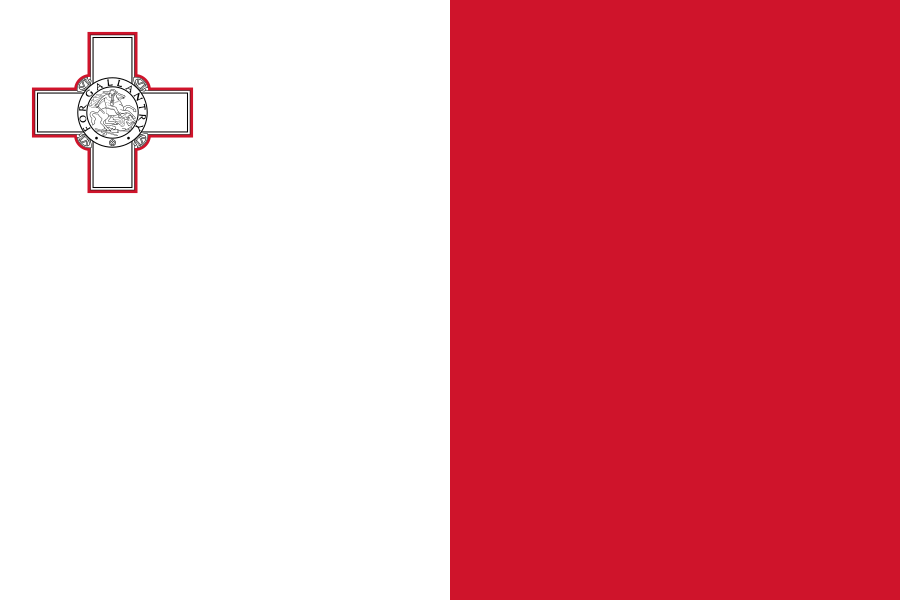
The best eSIM for Malta, compared for you: price, data, coverage and activation.
Compare eSIM plans for Malta: data, duration, prices and operators. Find the best offer and activate it now.
Each provider's best plan for this country, with the real price.
| Provider | Data | Duration | Price | Price/GB | |
|---|---|---|---|---|---|
 Saily ★ 4.7 · Review | 20 GB | 30 days | $37.10 | $1.86 | View → |
 Ubigi ★ 4.4 · Review | 20 GB | 30 days | $45.13 | $2.26 | View → |
 YesSim ★ 4.3 · Review | 10 GB | 30 days | $28.08 | $2.81 | View → |
 DrimSim ★ 4.1 · Review | 5 GB | 30 days | $15.70 | $3.14 | View → |
A comparison of the cheapest plans, all providers combined.
| Provider | Data | Duration | Price | Price/GB |
|---|---|---|---|---|
Saily | 1 GB | 7 days | $4.01 | $4.01 |
DrimSim | 1 GB | 7 days | $4.98 | $4.98 |
Ubigi | 500 MB | 30 days | $5.01 | $10.03 |
YesSim | 1 GB | 7 days | $6.02 | $6.02 |
Ubigi | 1 GB | 30 days | $7.02 | $7.02 |
Saily | 3 GB | 15 days | $9.03 | $3.01 |
Finding the best Malta eSIM plan is not just about choosing the largest amount of data. You also need to check the network used, the actual validity period, tethering and how your phone will switch to local data. This guide helps you buy, install and use an eSIM card in Malta with a reliable connection, from La Valette to Gozo.
An eSIM is a digital SIM card already built into certain phones, tablets and smartwatches: you download a mobile profile instead of inserting a small plastic card. After your purchase, the provider generally sends you a QR code, an installation link or a manual code. Within a few minutes, your device adds a new mobile line intended for data use in Malta. You can purchase and install this profile at home, as long as you have a stable Wi-Fi connection, and only activate it when the time is right.
The main difference from a physical SIM is convenience. A travel eSIM means you do not have to look for a shop at the airport, remove your usual card or risk losing it. Your phone can keep your French, Belgian, Swiss or Canadian SIM for your personal number while using the eSIM for local mobile data. This Dual SIM setup is ideal for receiving a banking code by SMS or staying reachable, provided you manage the roaming settings on your main line properly.
A travel eSIM does not turn your mobile into a conventional Maltese phone: in most cases, it provides a prepaid data allowance, without a local number or traditional cellular calls. However, it gives you access to Maps, WhatsApp, iMessage, FaceTime, email, ride-hailing apps and booking websites just like any mobile connection. The eSIM profile is linked to a single device and does not automatically transfer to another phone after installation, so keep the QR code and instructions until the end of your trip.
For a good connection, choose an eSIM that uses a recognised Maltese carrier, particularly Epic, Melita or GO. These networks cover the archipelago as a whole, but the actual experience depends on the network partner listed for the plan, your phone and your location. For a short stay, an eSIM that allows access to several partner networks is often a real advantage: if the signal deteriorates in a cove, a hotel with thick walls or a rural area, your phone may sometimes switch to a more available network.
In built-up and tourist areas — La Valette, Sliema, St Julian's, Gżira, Mdina, Rabat, Marsaxlokk and Mellieħa Bay — 4G is usually sufficient for browsing, short videos, WhatsApp calls and bookings. 5G is available in an increasing number of densely populated areas, but it is neither essential nor guaranteed with every travel eSIM. A 5G logo does not promise the same speed everywhere: during peak hours, on a busy street or at an event, congestion can significantly reduce performance.
Malta is small and relatively well covered, but it is not uniform. More isolated stretches of coastline, some paths around Dingli, cliff areas, beach car parks and inland Gozo may have a less consistent signal. Coverage can also be weaker inside limestone buildings, basements and some hotel rooms. Plan to download your maps and tickets offline before an excursion: this is more useful than simply paying for a very generous plan.
In favourable conditions, 4G/LTE is more than sufficient for real-time GPS, sharing photos and streaming in standard quality; 5G provides greater comfort for large transfers, hotspot use or high-definition videos. Do not choose a plan based on a theoretical speed claim. Instead, check the 4G/5G mention, any speed-reduction policy and the partner network. A stable connection at moderate speed is more valuable than an unpredictable burst of speed.
A Malta eSIM is the best choice if you are staying only in the archipelago and want the simplest price structure. It focuses your data on Malta, Gozo and generally Comino, without paying for coverage you will not use. It is ideal for a week-long holiday, a city break in La Valette or a beach holiday where your international travel is limited to the outbound and return flights.
A Europe eSIM is more suitable if Malta is just one stop on your trip. This applies to itineraries passing through Italy, Sicily, Greece, Spain, France or Portugal, a stopover of a few days in Rome before departure, or a business trip across several countries. You then avoid installing several profiles and keep your data allowance as you move between countries. However, the countries covered, networks used and amount of data actually available while roaming vary between plans.
Geographical proximity does not mean that your eSIM will work everywhere. Sicily, Tunisia and Libya are not automatically included simply because they are close to Malta; only the contractual list of destinations applies. Likewise, a Europe eSIM does not systematically cover the United Kingdom, Switzerland, non-EU Balkan countries or Turkey. Before a multi-stop trip, check the list country by country rather than relying solely on the commercial plan name.
Traveller feedback shows that an eSIM in Malta is generally appreciated for its quick setup and the fact that no physical card needs to be handled. Many people find it especially convenient to have Google Maps as soon as they leave the airport, call a driver via WhatsApp and avoid relying on accommodation Wi-Fi, which can sometimes be inconsistent. The convenience is particularly noticeable on a short stay: installing the eSIM before the flight saves an hour spent comparing plans locally.
Disappointments are rarely caused by the eSIM itself, but rather by a detail that was not checked properly: a locked phone, the wrong data plan selected, roaming disabled on the eSIM line or a validity period that starts earlier than expected. Some travellers also expect to receive a Maltese number or make traditional calls included in the plan, whereas most plans are data-only. Reading the conditions for hotspot use, top-ups and the partner network helps avoid these misunderstandings.
The most useful reviews specify the type of trip: a few days in Sliema are very different from a week of remote work in Gozo or daily excursions along coastal trails. Check whether the review mentions support quality, how easy it is to add data and coverage in the places that matter to you. A very cheap plan may be suitable for checking maps but less appropriate if you need to share your connection with a computer all day.
Ideally, install your eSIM before departure over Wi-Fi, but activate the data line only when instructed by the provider. This way, you will arrive in Malta with everything ready without starting your plan's validity period too early.
Confirm that your phone has an active eSIM and is unlocked. Also check that it has a free eSIM slot: some devices limit the number of stored profiles or active lines at the same time. Install system updates before travelling to avoid an installation being blocked by outdated software.
Choose your plan based on its duration, data allowance, network, top-up option and tethering policy. You will generally receive a QR code by email or in an app; keep it available offline, for example in your files or as a printout. Do not scan the same QR code on several devices: it can often be used only once.
On iPhone, open Settings > Cellular > Add eSIM > Use QR Code, then follow the prompts and name the line “Malta”. On Android, the path varies slightly: usually go to Settings > Connections or Network & internet > SIM manager > Add eSIM, then scan the QR code. Keep Wi-Fi enabled throughout the profile download.
When you land in Malta, activate the eSIM line, set it as the default mobile data line and enable data roaming on that line if the instructions require it. Disable mobile data and roaming on your main SIM to avoid accidental charges. The APN is normally configured automatically; if your eSIM provider supplies one, enter it exactly in your mobile network settings.
First, turn airplane mode on and off for about thirty seconds, or restart the device. Check that the Malta line is activated, selected for data, that roaming on this line is enabled and that the APN is correct. If a signal appears but nothing loads, try automatic network selection, then contact support with a screenshot of your settings without sharing your QR code.
Yes, you can keep your usual number while using a Maltese eSIM for internet access, thanks to Dual SIM mode. Keep your main SIM active to receive important text messages and select the travel eSIM as your data line. The key point is to turn off data roaming on the main line: an incoming call, SMS or notification should not trigger the use of its mobile data abroad.
Most travel eSIM cards are data-only: they provide neither a local number nor traditional calls or SMS. This does not prevent you from making calls via WhatsApp, Messenger, Signal, Telegram, FaceTime Audio, Skype or Teams. Your WhatsApp account keeps your existing number; do not accept an offer to change the number in the app when it detects a new eSIM line. To contact a Maltese hotel or restaurant, use a calling app or ask your accommodation to call you back on WhatsApp.
Tethering lets you use your eSIM data allowance on a computer, tablet or someone else's phone, but it must be explicitly authorised by the plan. Enable Personal Hotspot on iPhone or Wi-Fi Hotspot on Android, set a strong password and monitor usage: a Windows update, cloud sync or video meeting can use up several gigabytes far faster than mobile browsing. Disable automatic backups and updates on the connected device.
If you use up your allowance, do not necessarily expect a slowed connection: some plans cut off access when the data runs out. Check in the app or customer area whether a top-up is available, and purchase it before deleting the existing eSIM. If no top-up is offered, you will need to buy a new profile. Once your trip is over, deactivate the line rather than deleting it immediately if you still need access to usage information or support.
The right amount depends on how you use your phone: allow around 1 to 3 GB for a few days of maps, messages and bookings, 5 to 10 GB for an active week with social media, and more if you work, share your connection or watch videos.
Yes, in most cases it works at Malta International Airport (MLA) as soon as the line is activated, data is set to use the eSIM and roaming on that line is enabled. Install it before departure so you do not have to rely on airport Wi-Fi after landing.
This depends on the provider: validity often starts upon the first connection to the Maltese network, but some plans trigger it during installation. Check this condition before scanning the QR code, especially if you purchase several days in advance.
No, an eSIM profile is generally installed on one device only, and the QR code can usually be used only once. To connect a tablet or second phone, use the hotspot if your plan allows it, or purchase a separate eSIM.
Do not rely on a data-only eSIM for traditional emergency calls. In Malta, the emergency number is 112; depending on your phone and the available network, an emergency call may be possible without an active plan, but also keep your main SIM and your accommodation's contact details.
Terms vary considerably: a refund is often possible before installation or activation, but much less so after using the digital profile. Contact support immediately with the requested screenshots of your settings and do not delete the eSIM before receiving a response.
Compare the 18 eSIM plans available above and find the perfect offer for your stay in Malta.
See all plans







 Airalo
 Holafly
 Saily
Saily YesSim
 DrimSim
 Ubigi
Ubigi