
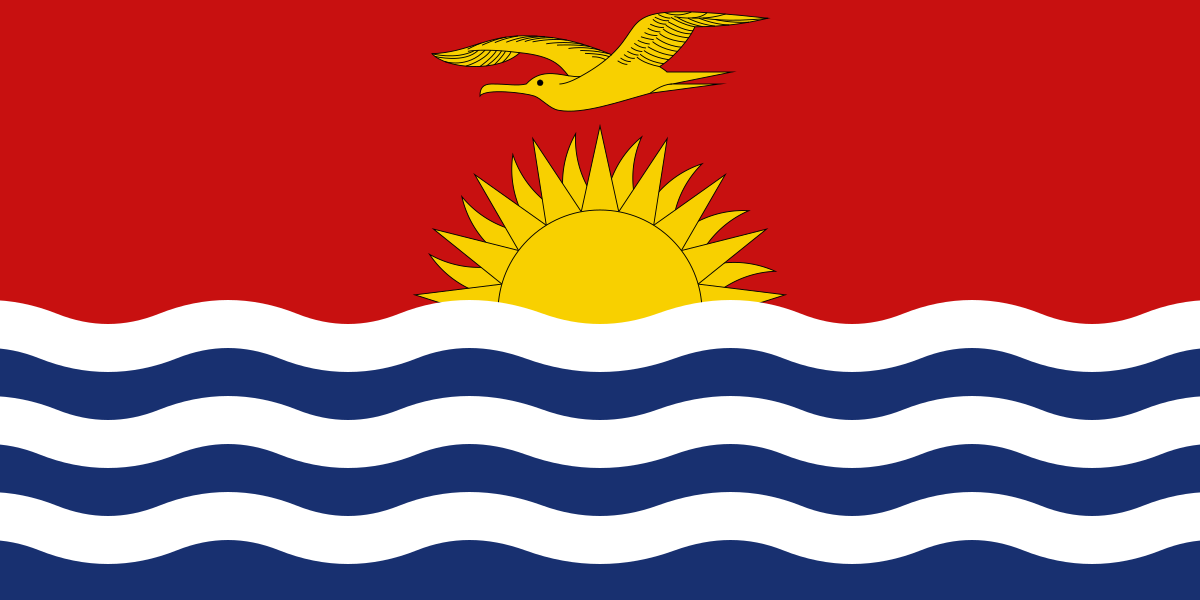
The best eSIM for Kiribati, compared for you: price, data, coverage and activation.
Compare eSIM plans for Kiribati: data, duration, prices and operators. Find the best offer and activate it now.
Each provider's best plan for this country, with the real price.
| Provider | Data | Duration | Price | Price/GB | |
|---|---|---|---|---|---|
 Saily ★ 4.7 · Review | 20 GB | 30 days | $37.10 | $1.86 | View → |
 YesSim ★ 4.3 · Review | 10 GB | 30 days | $28.08 | $2.81 | View → |
A comparison of the cheapest plans, all providers combined.
| Provider | Data | Duration | Price | Price/GB |
|---|---|---|---|---|
Saily | 1 GB | 7 days | $4.01 | $4.01 |
YesSim | 1 GB | 7 days | $6.02 | $6.02 |
Saily | 3 GB | 15 days | $9.03 | $3.01 |
YesSim | 3 GB | 15 days | $12.03 | $4.01 |
Saily | 5 GB | 30 days | $14.04 | $2.81 |
YesSim | 5 GB | 30 days | $18.05 | $3.61 |
Finding the Best Kiribati eSIM Plan requires a little more attention than choosing one for a typical destination: the country is spread across three island groups, networks vary, and Wi-Fi is not always a reliable backup. This guide helps you choose the right amount of data, understand actual coverage, and set up your eSIM without unpleasant surprises, from Tarawa to Kiritimati.
An eSIM is a digital SIM card already built into your smartphone: instead of inserting a physical chip, you download a mobile profile that gives you access to a data plan in Kiribati. After purchase, the provider generally sends you a QR code, an installation link, or instructions in its app. You can purchase and install this profile comfortably over Wi-Fi before departure, then activate it once you arrive.
The main difference from a traditional SIM is convenience. You do not have to look for a shop in Tarawa, replace your French SIM card, or risk losing it during your trip. A travel eSIM uses a local partner network and works like an additional mobile line. In most cases, it is dedicated to data: browsing, maps, messages, social media, bookings, and calls over the Internet.
Your phone can usually keep your regular SIM for calls and SMS while using the eSIM for Internet access. This is known as Dual SIM. However, your device must be eSIM-compatible, unlocked, and have a free eSIM slot. Some phones accept several stored profiles, but only one or two active profiles at the same time, depending on the model.
The best eSIM for Kiribati is one that connects to a local partner available on the islands actually included in your itinerary, especially South Tarawa or Kiritimati. Coverage does not depend solely on the eSIM: it primarily depends on the atoll, village, network congestion, and weather. Therefore, check clearly that Kiribati is covered, then read the terms regarding the partner network and tethering.
The mobile network is mainly associated with Vodafone Kiribati, which operates in populated areas and is particularly important in the Gilbert Islands. South Tarawa, the country’s administrative center and most densely populated area, offers the best chances of finding a usable mobile connection. A travel eSIM usually connects there via 4G/LTE when the local network and phone support it; do not purchase a plan expecting widespread 5G coverage.
In Kiribati, the term “high speed” needs to be viewed in context. For WhatsApp, Google Maps, emails, browsing a website, or sending compressed photos, a good 4G connection is more than sufficient. However, an HD video call, backing up hundreds of photos, or streaming may become slow during busy periods. Highly variable speeds, ranging from comfortable browsing to a noticeably sluggish connection, are normal on island infrastructure that depends on international links.
Do not confuse network presence on a map with guaranteed availability. Kiribati covers an immense area of ocean: the Gilbert Islands, Line Islands, and Phoenix Islands are far apart. On sparsely populated atolls, between villages, inside buildings, or during a local outage, the signal may be weak or unavailable. Download your maps, tickets, contacts, and documents offline before any excursion.
A Kiribati-only eSIM is often the simplest choice if you are staying in a single island group and your priority is the best local compatibility. It prevents you from paying for countries you will not visit and may offer a data allowance better suited to a stay in Tarawa or Kiritimati. Its downside is that it may not help you during a stopover in Fiji, Australia, or New Zealand.
A regional Pacific plan becomes more relevant when Kiribati is just one stop on your itinerary. For example, a trip combining Nadi in Fiji, Tarawa, and then Auckland, or a connection in Australia, may justify a single multi-country eSIM. This allows you to avoid reinstalling a profile at every border and keep a connection to order transportation or receive a gate change during your stopover.
Nevertheless, read the detailed list of covered territories: “Oceania” does not automatically mean Kiribati, and a regional plan may offer fewer gigabytes or a shorter validity period than a national plan at the same price. Also check whether coverage is provided through roaming, as the network partner and speed may change from one country to another.
Travelers particularly appreciate preparation before departure: receiving the QR code by email, avoiding the search for a local SIM, and having Internet access as soon as a network is available. In such an isolated destination, being able to check a booking, contact accommodation, or communicate with a driver without relying on public Wi-Fi is a real convenience.
More nuanced feedback rarely concerns the eSIM itself, but rather the actual coverage of the local network. An eSIM may be installed perfectly yet receive only a weak signal in a remote area, or show several bars without providing enough speed for video. Disappointed travelers are often those who expected an experience identical to that of a major European city.
Support is important in Kiribati because a configuration error can be difficult to fix without another connection. The best reviews concern providers that clearly display usage, allow top-ups, and give precise instructions regarding data roaming and APN settings. Before paying, check the refund terms: an installed or activated profile is not always refundable.
Ideally install your eSIM at home or at your hotel before departure, using a reliable Wi-Fi connection, then activate the data line only when specified in the plan’s terms.
Confirm that your phone is eSIM-compatible and unlocked before purchasing. Also check that it can use a second active line alongside your primary SIM: this is essential if you want to keep your French, Belgian, Swiss, or Canadian number for calls and SMS.
Choose the validity period and data allowance that match your trip, then keep the QR code in your emails and, ideally, in an offline-accessible screenshot. Do not scan the code from the screen of the same phone without using manual entry or a second device; many providers allow only one installation.
On iPhone, open Settings > Cellular > Add eSIM > Use QR Code, then follow the instructions. On Android, the path depends on the brand but is often found under Settings > Connections > SIM Manager > Add eSIM or Settings > Network & Internet > SIMs > Add eSIM. Give the line a clear label, such as “Kiribati data,” to avoid confusion.
Upon arrival, activate the eSIM line, set it as your mobile data line, and enable “data roaming” on that line only if the provider’s instructions require it. A travel eSIM frequently uses roaming to access the local partner network, without creating the roaming charges associated with your usual carrier. The APN is often configured automatically; change it only if the instructions specify a particular value.
Turn airplane mode off and on again for around thirty seconds, check that the default data line is set to the eSIM, and restart your phone. If there is a signal but Internet access remains unavailable, check roaming, the APN, and automatic network selection. Then contact support with screenshots of your settings, the displayed network name, and your approximate location.
Yes, you can generally keep your regular number while using a Kiribati eSIM for Internet access, provided you separate the uses correctly in the Dual SIM settings. Most travel plans are data-only: they do not provide a local number, traditional calls, or local SMS. Your primary SIM can remain active to receive a banking SMS or an important call, but check its roaming rates before answering or making a call.
Your apps do not change numbers because you are using another data line. WhatsApp, Signal, Telegram, iMessage, FaceTime, Messenger, and VoIP calls work through your eSIM connection; your WhatsApp account remains associated with your existing number. To avoid using your primary line, disable “Cellular Data Switching” on iPhone or the equivalent option on Android.
Tethering is very useful for connecting a laptop, tablet, or a travel companion’s camera, but it must be explicitly allowed by the plan. It consumes data quickly: a system update, cloud synchronization, or video conference on a computer can use several gigabytes in a short time. Set a strong password and turn off the hotspot as soon as it is no longer needed.
If you use up your allowance, do not assume that speeds will simply be reduced: some plans cut off access until you top up or purchase a new plan. Check the provider’s usage meter before reaching zero, especially before traveling between islands. If a top-up is available, it may extend your data without reinstalling a profile; otherwise, you will need to purchase a new eSIM and switch your data line.
To estimate your needs, allow around 1 to 2 GB for a few days of messaging, maps, and light browsing, 3 to 5 GB for one to two weeks of moderate daily use, and more if you use a hotspot, video, or remote work.
It may work as soon as your phone connects to the local network and the line is activated, but the airport does not guarantee a perfect signal. Install the profile before your flight and keep your travel documents accessible offline.
It depends on the provider: it often starts when you first connect to a network in Kiribati, but sometimes begins upon installation. Check this rule in the plan details before scanning the QR code.
No, a travel eSIM profile is normally intended for one device, and its QR code is for one-time use. Use the hotspot if you need to temporarily share the connection with another phone.
Do not rely on a data-only eSIM for traditional emergency calls. In case of danger, immediately ask your accommodation, guide, carrier, or local contact for help; save their contact details before leaving populated areas.
Terms vary: an uninstalled plan may sometimes be refundable, whereas an already activated profile rarely is. Keep screenshots, test the recommended settings, and contact support before purchasing a second eSIM.
Compare the 9 eSIM plans available above and find the perfect offer for your stay in Kiribati.
See all plans







 Airalo
 Holafly
 Saily
Saily YesSim
 DrimSim
 Ubigi
Ubigi