
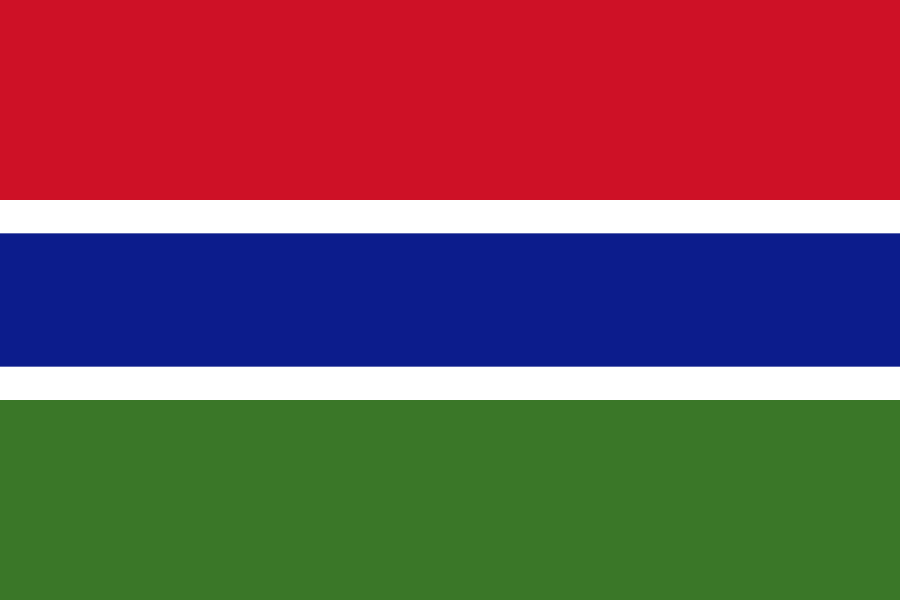
The best eSIM for Gambia, compared for you: price, data, coverage and activation.
Compare eSIM plans for Gambia: data, duration, prices and operators. Find the best offer and activate it now.
Each provider's best plan for this country, with the real price.
| Provider | Data | Duration | Price | Price/GB | |
|---|---|---|---|---|---|
 Saily ★ 4.7 · Review | 20 GB | 30 days | $37.10 | $1.86 | View → |
 YesSim ★ 4.3 · Review | 10 GB | 30 days | $28.08 | $2.81 | View → |
A comparison of the cheapest plans, all providers combined.
| Provider | Data | Duration | Price | Price/GB |
|---|---|---|---|---|
Saily | 1 GB | 7 days | $4.01 | $4.01 |
YesSim | 1 GB | 7 days | $6.02 | $6.02 |
Saily | 3 GB | 15 days | $9.03 | $3.01 |
YesSim | 3 GB | 15 days | $12.03 | $4.01 |
Saily | 5 GB | 30 days | $14.04 | $2.81 |
YesSim | 5 GB | 30 days | $18.05 | $3.61 |
Finding the best Gambia eSIM plan is not simply about choosing the highest number of gigabytes: you also need to check the partner network, validity period, tethering and your actual itinerary. This guide helps you buy, install and use an eSIM card in Gambia with peace of mind, from Banjul Airport to the more remote banks of the Gambia River.
An eSIM is a digital SIM card already built into your smartphone: instead of inserting a plastic chip, you download a mobile profile provided by your eSIM provider. After purchasing, you will generally receive a QR code, an installation link or a manual code. Your phone then connects to a partner Gambian network to use the Internet, just like with a physical SIM, but without opening the SIM tray or looking for a shop on arrival.
The main difference from a traditional card is the preparation. You can buy and install the eSIM before departure, using your Wi-Fi at home or at the hotel, and then activate it once in Gambia according to the plan’s conditions. Your French, Belgian, Swiss or Canadian SIM can remain in the phone: simply designate the travel eSIM as your mobile data line. This is especially convenient if you need to receive a bank code, a security SMS or an important call on your usual number.
A travel eSIM for Gambia is most often a data-only plan, meaning it is intended for mobile data and does not provide a Gambian number for traditional calls. This does not prevent you from communicating: WhatsApp, Signal, Telegram, FaceTime Audio, Messenger and Skype calls work over the Internet. However, note that your phone must be unlocked. A device that is still tied to an operator may recognise the eSIM but refuse to connect to a foreign network.
The best eSIM for Gambia is the one that relies on a local network suited to your itinerary, not simply the one promising 5G. The country’s main mobile operators are Africell Gambia, QCell and Gamtel. Depending on the eSIM provider you choose, your profile may use one of these networks, sometimes through automatic selection and sometimes with a designated partner. Always check the advertised network or networks before paying, especially if your trip extends beyond the coast.
In Greater Banjul, particularly between Banjul, Serrekunda, Kololi, Kotu, Bakau and Banjul International Airport, 4G is usually the standard and is more than sufficient for maps, bookings, social media and reasonable video calls. 5G may be available in covered areas and on certain devices, but it should not be your deciding factor: availability, stability and network congestion matter more than the logo displayed at the top of the screen.
Along the tourist coast towards Senegambia, Fajara, Bijilo, Brufut, Tujereng or Sanyang, you will often find a suitable connection, with variations depending on the hotel, time of day and distance from the antenna. In practice, good 4G speeds are usually sufficient for sending photos, navigating with Google Maps, listening to music and making WhatsApp calls. However, prolonged HD streaming or sending large files may become unreliable during busy periods.
As soon as you travel inland — Brikama, Farafenni, Georgetown/Janjanbureh, Basse Santa Su, villages near the river or rural areas — coverage becomes more intermittent. Gambia is narrow, but that does not mean every track or riverbank has perfect coverage. In areas away from the main routes, expect 3G, a weak signal or outages. Download offline maps, keep your confirmations accessible without a network and do not rely on the Internet for a logistical emergency.
For a stay entirely in Gambia, a national Gambia eSIM often offers the best balance of cost, data allowance and simplicity. It is designed to connect to the country’s networks and avoids paying for destinations you do not need. It is the logical choice for a week at the beach in Kololi, a tour between Banjul and the nature reserves, or an extended stay in the coastal region.
A West Africa or multi-country Africa plan becomes more useful if you continue on to Senegal, particularly Dakar, Casamance or the Sine-Saloum Delta. Gambia is almost entirely surrounded by Senegal: border crossings may therefore naturally form part of your itinerary. With a regional eSIM, you avoid changing profiles at every border and keep your apps, maps and contacts connected throughout the journey.
Never assume that an “Africa” plan automatically covers every country on the continent or that quality will be identical everywhere. Senegal, Cape Verde, Guinea-Bissau, Mauritania and Morocco may or may not be included, depending on the offer. Check the exact list of countries, partner networks and validity rules before buying. A global eSIM may also be convenient for a stopover in Casablanca, Paris or Lisbon, but it is often less cost-effective than a local or regional plan.
Traveller feedback is generally positive when the eSIM is installed before the flight and the correct mobile data settings have been selected. The main advantage mentioned is a simpler arrival: there is no need to negotiate for a SIM card, look for a sales point or hand over your passport after several hours of travel. For everyday uses — getting from the airport, booking a taxi, messaging family, GPS and online payments — this independence is genuinely valuable.
Complaints tend to concern expectations about the network rather than the eSIM itself. An offer may advertise 4G or 5G yet prove slow in a hotel, in the north of the country or during a busy period. Disappointed travellers are often those who failed to check the partner network, activated the line too early or used up their allowance with videos, automatic backups and updates.
Support also makes a difference. A reliable provider should offer clear instructions, usage monitoring, a top-up option and reachable assistance when activation fails. Before choosing a plan, read recent comments, focusing especially on information about the actual connection in Gambia, ease of installation and how issues were resolved, rather than only general reviews of the brand.
Installation often takes less than ten minutes if you do it calmly, with a stable Wi-Fi connection, before leaving your country.
Confirm that your smartphone supports an eSIM and is unlocked. Also check that it can use two lines simultaneously: this is essential if you want to keep your main number active for SMS and calls. Install important system updates before travelling, not with your destination’s mobile data.
Choose the data allowance, validity period and coverage matching your itinerary, then purchase your plan using reliable Wi-Fi. You will receive a QR code, sometimes an activation code and any required APN settings. Keep an offline screenshot and never share this QR code: it can generally be used only once.
On iPhone, open Settings > Cellular > Add eSIM, then scan the QR code or enter the information manually. On Android, the path varies slightly by brand, but generally goes through Settings > Connections or Network & Internet > SIM Manager > Add eSIM. Give the line a clear name, such as “Gambia data”, to avoid confusion with your usual SIM.
On arrival, activate the eSIM line, select it as your mobile data line and allow data roaming on this eSIM line if required by the provider. This roaming applies to the travel profile and not necessarily to your usual operator. The APN is often configured automatically; if the provider supplies one, enter it exactly in the mobile network settings.
First turn mobile data off and on again, activate airplane mode for thirty seconds, then restart the phone. Check that the Gambia line is selected for data, that roaming is enabled on it and that your main line is not using data. If the problem continues, try automatic network selection, check the APN and contact support with a screenshot of your settings.
Yes, you can generally keep your usual number while using a Gambian eSIM for Internet access. With a dual-SIM phone, leave your main SIM active for calls and SMS, but designate the travel eSIM as the data line. Disable mobile data and roaming on your main SIM: otherwise, your usual operator may charge you for data abroad even if you have purchased an eSIM plan.
Most travel eSIMs are data-only: they therefore provide neither a Gambian number nor traditional cellular calls. However, WhatsApp, Signal, Telegram, FaceTime and Messenger calls work using the eSIM’s data. WhatsApp keeps your number and conversations: do not create a new account, simply open the app as usual. To call a hotel, driver or local contact without a messaging app, ask them to message you on WhatsApp or use a VoIP solution.
Tethering is permitted by many providers and allows you to connect a computer, tablet or companion’s phone. However, check this before buying, as some unlimited plans block or restrict the hotspot. A computer uses data quickly: cloud syncing, Windows or macOS updates, video calls and streaming can consume several gigabytes in a short time. Disable automatic downloads on connected devices.
If you run out of data, check the provider’s app or customer area: a top-up is often possible while the profile is still valid. If your plan does not allow top-ups, buy a new compatible plan and install it without deleting the previous one until you are certain you no longer need it. In all cases, enable the phone’s usage alert and save data by downloading maps, playlists and videos over Wi-Fi.
For light use, you will often need 1 to 3 GB for one week; for maps, social media and regular calls, aim for 5 to 10 GB; beyond that, adjust the allowance to your hotspot use, remote work and the actual length of your stay.
Yes, it can work as soon as you land if the profile is already installed, the line is activated and data roaming is enabled on the eSIM. Wait a few minutes after turning off airplane mode: the phone needs to register on the local network.
This depends on the provider: validity most often begins at the first connection to a Gambian network, but sometimes starts upon installation or activation. Check this condition before installing the profile several days in advance.
No. An eSIM profile is normally linked to a single device after installation. To connect a tablet or computer, use tethering if your plan allows it, or purchase a second eSIM.
Do not rely solely on your eSIM in an emergency. Save your accommodation, insurance and local service contact details before departure; emergency numbers may be reachable even without credit, but availability depends on the network signal and location.
Conditions vary considerably: some providers refund a profile that has not been installed or activated, while others first require troubleshooting with their support team. Keep screenshots, do not delete the eSIM and contact support quickly with evidence of the problem.
Compare the 9 eSIM plans available above and find the perfect offer for your stay in Gambia.
See all plans







 Airalo
 Holafly
 Saily
Saily YesSim
 DrimSim
 Ubigi
Ubigi