
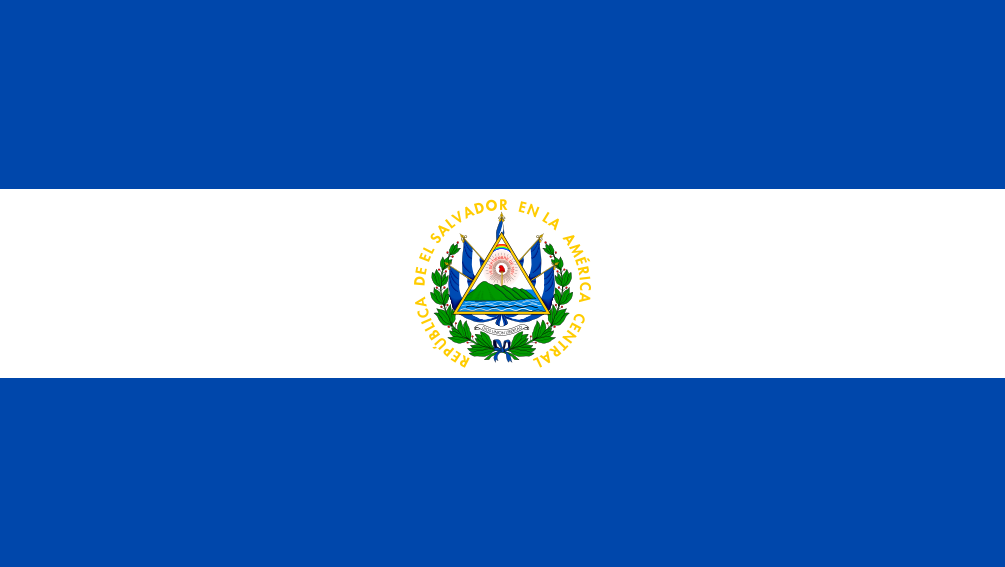
The best eSIM for El Salvador, compared for you: price, data, coverage and activation.
Compare eSIM plans for El Salvador: data, duration, prices and operators. Find the best offer and activate it now.
Each provider's best plan for this country, with the real price.
| Provider | Data | Duration | Price | Price/GB | |
|---|---|---|---|---|---|
 Saily ★ 4.7 · Review | 20 GB | 30 days | $37.10 | $1.86 | View → |
 Ubigi ★ 4.4 · Review | 20 GB | 30 days | $45.13 | $2.26 | View → |
 YesSim ★ 4.3 · Review | 10 GB | 30 days | $28.08 | $2.81 | View → |
 DrimSim ★ 4.1 · Review | 5 GB | 30 days | $15.70 | $3.14 | View → |
A comparison of the cheapest plans, all providers combined.
| Provider | Data | Duration | Price | Price/GB |
|---|---|---|---|---|
Saily | 1 GB | 7 days | $4.01 | $4.01 |
DrimSim | 1 GB | 7 days | $4.98 | $4.98 |
Ubigi | 500 MB | 30 days | $5.01 | $10.03 |
YesSim | 1 GB | 7 days | $6.02 | $6.02 |
Ubigi | 1 GB | 30 days | $7.02 | $7.02 |
Saily | 3 GB | 15 days | $9.03 | $3.01 |
Finding the best eSIM plan for El Salvador is not just about choosing the largest data allowance. You need to select a network that is genuinely useful for your itinerary, a validity period that suits your trip, and a plan that is easy to activate without risking a roaming bill. Here is everything you need to know to arrive connected in San Salvador, surf along the Pacific coast, and travel around the country with peace of mind.
An eSIM is a digital SIM card built into your phone. It downloads a carrier profile instead of requiring a physical plastic chip. For El Salvador, you purchase a data plan online, usually receive a QR code or installation link, and your phone connects to a local partner network once you arrive. You can therefore purchase and install your eSIM safely before departure, without searching for a store at the airport or removing your regular SIM card.
The main difference from a physical SIM is convenience: there is no card to handle, no adapter to keep, and no risk of losing your French SIM between flights. A travel eSIM adds a second line in your device settings. Your phone can then use this line for mobile data in El Salvador, while keeping your main line active to receive certain calls or text messages. This is how Dual SIM works, and it is particularly useful for bank verification codes.
In most cases, a travel eSIM plan is data-only: it provides Internet access but not necessarily a Salvadoran phone number or traditional calls. This does not prevent you from using WhatsApp, FaceTime, Telegram, Signal, Google Maps, Uber, or Wi-Fi calling. Installing the profile does not always mean the plan starts immediately: depending on the provider, validity may begin at installation, manual activation, or the first connection to a network in El Salvador. Check this point before scanning the code.
The best eSIM for El Salvador is the one that relies on a good local partner in the places you plan to visit, not necessarily the one advertising the most data. The country’s main mobile networks are Claro, Tigo, and Digicel. Their coverage is strong in the San Salvador metropolitan area and major cities; it becomes less consistent in mountainous areas, remote villages, and some isolated stretches of coastline.
For an urban trip between San Salvador, Santa Ana, San Miguel, Suchitoto, or La Libertad, an eSIM using Claro or Tigo usually provides a comfortable 4G/LTE experience. GPS navigation, bookings, social media, occasional video calls, and online payments generally work without difficulty. 5G may be available in certain areas and with certain plans, but it should not be your only criterion: 4G is the genuinely useful standard for a multi-stop trip.
Speeds vary depending on the neighborhood, time of day, your phone, and the network to which your provider connects you. In urban areas, a few dozen Mbps are more than enough for watching videos, working remotely occasionally, or sharing your connection. In very busy areas, during events, matches, or rush hour, speeds may drop. An international eSIM is often treated as roaming traffic: it can perform very well without being exactly identical to a prepaid local line.
El Salvador’s terrain really matters. The areas around Santa Ana Volcano, secondary roads toward the Apaneca-Ilamatepec range, rural areas around Morazán, and the wilder beaches in the east may experience outages or weak signals. Download your maps, tickets, and addresses for offline use before leaving the cities. For a road trip, prioritize a provider that clearly indicates its partner network or networks rather than making a vague “national coverage” promise.
For a trip entirely within El Salvador, a national eSIM is generally the most affordable and simplest option. It focuses your budget on local networks and often provides more data for the same duration. It is the logical choice for a week of surfing in El Tunco, a tour between San Salvador and Santa Ana, or a business trip centered on the capital.
A Central America plan becomes a smarter choice if you are actually crossing a border. Depending on the offer, it may cover Guatemala, Honduras, Nicaragua, Costa Rica, Panama, or Belize. For example, an itinerary from San Salvador to Antigua and Lake Atitlán, or an overland trip to Honduras, often justifies using one regional eSIM. You avoid installing a new profile at every stop and stay connected as soon as you cross the border.
However, be careful: “Latin America” does not always mean that every country is included, and the list may differ from one provider to another. Coverage quality can also change at each border because the eSIM switches to a new partner carrier. Above all, compare the countries covered exactly, the overall validity period, and the amount of data instead of relying on the plan’s commercial name.
Traveler feedback shows that eSIMs are particularly appreciated in El Salvador for their quick setup and the fact that there is no need to search for a local SIM on arrival. Having Google Maps, a ride-hailing app, messaging, and your accommodation address available as soon as you leave the airport is genuinely convenient. Satisfied users especially highlight the ability to keep their original SIM and monitor their usage through an app.
Recurring complaints are not always about the eSIM itself, but about unrealistic expectations or incorrect settings. Some travelers expect perfect coverage on mountain roads or at isolated surf spots, even though the terrain limits every carrier. Others forget to activate data roaming on the eSIM line, leave their French SIM selected for data, or install the profile even though validity starts immediately.
Support is an important factor because troubleshooting is often done remotely and in English. A reliable provider should offer clear instructions, usage monitoring, and an easy-to-understand top-up process. Beware of very cheap plans that do not specify the network, provide no refund terms, or offer no way to contact support: saving a few euros is not worth spending a day without Internet.
Prepare your eSIM using reliable Wi-Fi before your trip, then activate data at the right time. This approach prevents you from using your plan too early and makes troubleshooting easier.
Confirm that your phone is eSIM-compatible and, above all, unlocked. Also update iOS or Android and keep at least a few hundred MB of free space: an eSIM profile is small, but a full or outdated system can make installation more difficult. If you are traveling with a business device, check that no company policy blocks the addition of mobile lines.
Purchase the plan when you have access to a stable Wi-Fi connection, ideally a few days before departure. Save the QR code, activation code, and any APN settings in offline files or in an email accessible from a second device. Do not automatically scan the code if the terms state that validity begins upon installation: in that case, wait until the day before departure or until you arrive.
On iPhone, open Settings > Cellular > Add eSIM > Use QR Code, then scan the code and give the line a clear name, such as “El Salvador eSIM.” On Android, the path varies slightly: generally look for Settings > Connections / Network & Internet > SIM Manager > Add eSIM, then choose to add it by QR code. Keep your main line active during installation unless the provider says otherwise.
When you arrive in El Salvador, activate the eSIM line, select it as your mobile data line, and enable data roaming only on this eSIM. A travel eSIM often uses technical roaming to access the partner network: this setting is normal and does not incur additional charges on the prepaid eSIM line. The APN usually configures itself; if your seller provides one, enter it exactly in your mobile network settings.
First, turn airplane mode off and on again for around thirty seconds, or restart your phone. Then check that the eSIM is selected for data, that roaming is enabled on it and disabled on your French SIM, and that the correct APN is saved. If nothing changes, try manually selecting Claro, Tigo, or Digicel when this option is available, then contact support with a screenshot of your settings.
Yes, you can keep your usual number while using a data eSIM in El Salvador, provided you configure Dual SIM correctly. Keep your French or Belgian SIM active for important calls and text messages, but select the travel eSIM for mobile data. Disable data roaming on your main line to prevent it from quietly taking over when the eSIM signal weakens.
Most travel eSIMs are without a local number and therefore do not offer traditional mobile calls or outgoing text messages. However, WhatsApp continues to work with your existing number: your account is linked to your number, not to the SIM card providing Internet access. You can make calls, send messages, share your location, and receive media over Wi-Fi or eSIM data. To contact a hotel or local guide, WhatsApp is widely used in El Salvador; Skype, FaceTime Audio, and Google Meet can also help.
Hotspot functionality is often allowed and turns your phone into a router for a laptop, tablet, or travel companion’s phone. Nevertheless, check this rule in the plan’s terms: some unlimited products limit hotspot use or reduce speeds after a certain amount of data. Use tethering occasionally to send files, book transportation, or work for a few hours rather than as a permanently open family connection: an HD video call or computer update can use several gigabytes very quickly.
If you use up your allowance, most providers offer a top-up through their app or website. If possible, do it before you are completely disconnected, because you may need a Wi-Fi connection to open the payment portal. If no top-up is available, purchase a new plan compatible with the same profile or install a second eSIM, according to the instructions. Avoid deleting the existing profile: an eSIM QR code is often single-use and cannot always be reinstalled.
For one week of navigation, messaging, maps, and moderate social media use, 3 to 5 GB is often enough; plan for 8 to 15 GB for two weeks, light remote work, or a lot of video. Heavy users, content creators, or anyone sharing their connection should consider 20 GB or more, or an unlimited plan whose speed limits they have checked.
In principle, yes: San Óscar Arnulfo Romero y Galdámez International Airport is located on a well-covered route. Activate your eSIM line, data roaming, and mobile data selection before leaving the terminal. However, keep the airport Wi-Fi as a backup for completing the setup.
This depends on the provider: validity may begin upon installation, activation in the app, or the first connection to a Salvadoran network. Check the plan details before scanning the QR code; this is the best way to avoid losing validity days before your trip.
No, an eSIM profile is normally linked to a single device, and the QR code can often be used only once. To connect a tablet or computer, use hotspot if your plan allows it, or purchase a second dedicated eSIM.
Do not rely on a data eSIM for traditional emergency calls. El Salvador’s general emergency number is 911; depending on the device and network, an emergency call may work without a plan, but this should not be your only strategy. Keep your accommodation, insurance, and embassy contact details available offline.
This depends on the seller’s terms. Many exclude refunds after installation or activation of the profile because the data is then considered delivered. Contact support immediately, keep screenshots, and do not purchase a second plan before checking your line, roaming, and APN settings.
A reputable VPN can secure your connections on public Wi-Fi and help you access certain familiar services, but it does not improve mobile coverage. It may also slightly reduce speeds and use more battery; activate it mainly for sensitive activities such as banking or work.
Compare the 18 eSIM plans available above and find the perfect offer for your stay in El Salvador.
See all plans







 Airalo
 Holafly
 Saily
Saily YesSim
 DrimSim
 Ubigi
Ubigi