
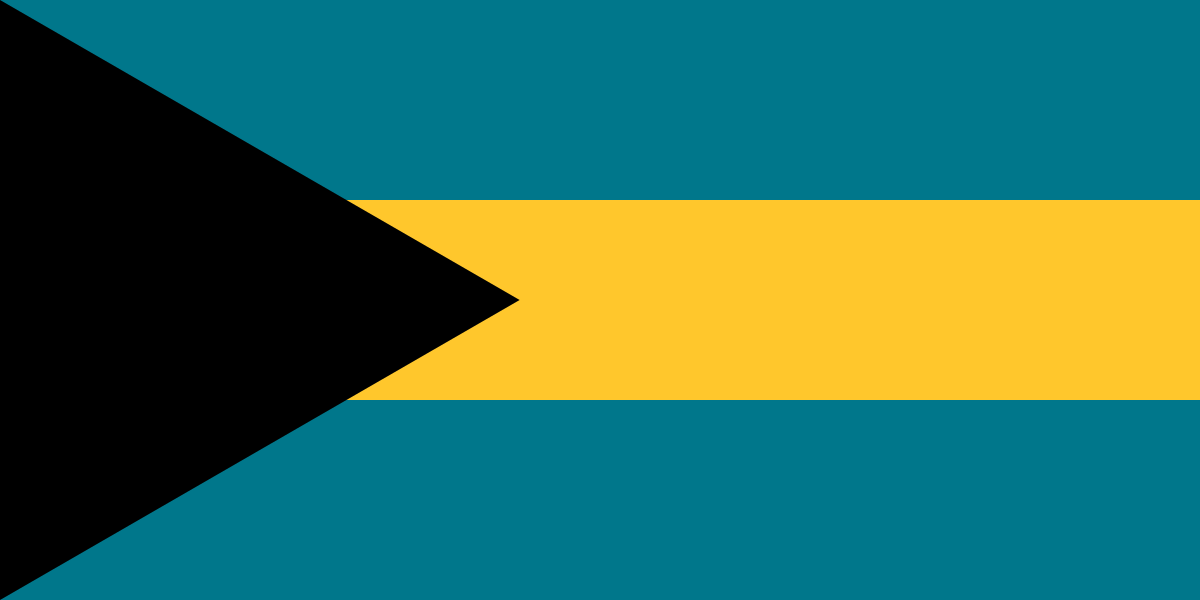
The best eSIM for Bahamas, compared for you: price, data, coverage and activation.
Compare eSIM plans for Bahamas: data, duration, prices and operators. Find the best offer and activate it now.
Each provider's best plan for this country, with the real price.
| Provider | Data | Duration | Price | Price/GB | |
|---|---|---|---|---|---|
 Saily ★ 4.7 · Review | 20 GB | 30 days | $37.10 | $1.86 | View → |
 YesSim ★ 4.3 · Review | 10 GB | 30 days | $28.08 | $2.81 | View → |
 DrimSim ★ 4.1 · Review | 5 GB | 30 days | $15.70 | $3.14 | View → |
A comparison of the cheapest plans, all providers combined.
| Provider | Data | Duration | Price | Price/GB |
|---|---|---|---|---|
Saily | 1 GB | 7 days | $4.01 | $4.01 |
DrimSim | 1 GB | 7 days | $4.98 | $4.98 |
YesSim | 1 GB | 7 days | $6.02 | $6.02 |
Saily | 3 GB | 15 days | $9.03 | $3.01 |
DrimSim | 3 GB | 15 days | $10.72 | $3.57 |
YesSim | 3 GB | 15 days | $12.03 | $4.01 |
From Nassau and the Exumas to Eleuthera’s more secluded beaches, a reliable mobile connection helps you avoid many complications: directions, ferry bookings, taxis, offline maps, or messages to loved ones. This guide helps you choose the best Bahamas eSIM plan based on your itinerary, usage, and phone, then install it without unpleasant surprises.
An eSIM is a digital SIM card built into your phone that you purchase and install before departure without handling a physical chip. After payment, the provider generally sends you a QR code, an installation link, or a manual activation code. Within minutes, your smartphone downloads a mobile profile that gives it access to a partner network in the Bahamas when you arrive.
The principle is simple: your phone can keep your French, Belgian, Swiss, or Canadian SIM for your usual number while using the travel eSIM for mobile data. This Dual SIM setup is particularly convenient: you keep WhatsApp, your contacts, and possibly important SMS messages, while browsing, maps, and apps use the Bahamas data plan. However, you should disable data roaming on your regular line to eliminate any risk of unexpected charges.
Unlike a traditional local SIM, an eSIM requires neither a shop at the airport, nor a passport, nor a wait at a counter. You can buy it from home over Wi-Fi, install it comfortably before your flight, and activate it only when you arrive. Be careful not to confuse installation with activation: installing the profile in Paris does not necessarily consume your validity period, but some providers start the plan upon the first connection to a network or, more rarely, immediately upon installation. Always read this rule before purchasing.
The best Bahamas eSIM plan is the one that relies on a strong network on the islands where you are actually staying, not simply the one displaying the most data. The two names to look for are mainly BTC (Bahamas Telecommunications Company) and Aliv, the archipelago’s main mobile operators. Depending on the eSIM provider, your profile may use one of these networks or switch between partners when supported; this information is worth checking before you pay.
In Nassau, on New Providence, and in Freeport, on Grand Bahama, 4G is usually sufficient for Google Maps, social media, reasonable video calls, and online bookings. 5G may be available in certain covered areas and with certain partnerships, but it should not be your only criterion: on an island trip, consistent 4G LTE often matters more than a peak 5G speed. In real-world conditions, performance varies with the island, weather, building, time of day, and network congestion.
The Bahamas are not one continuous landmass: they are an archipelago of hundreds of islands and cays. An eSIM that works very well in central Nassau may become less reliable on Long Island, Cat Island, Andros, or certain parts of Eleuthera. In the Exumas, the signal is generally better near villages, marinas, accommodations, and busy routes than during a boat excursion or on an isolated beach. Never rely on mobile data as your only safety net when going out to sea.
For everyday use, a speed of a few Mbps is already enough for messaging, maps, bookings, and audio calls. High-definition video, cloud backups, or large file transfers require much more and can become frustrating outside densely covered areas. Download your maps, tickets, ferry confirmations, and playlists over Wi-Fi before leaving Nassau or your hotel.
A local Bahamas eSIM is often the most logical choice if you land in Nassau and stay only in the archipelago. It generally focuses its data allowance and price on this destination, which can be better value than a product covering the entire region. It is perfectly suited to a week in Nassau, a resort stay on Paradise Island, or an itinerary limited to the Bahamas that includes the Exumas.
A regional Caribbean eSIM becomes more attractive if the Bahamas are just one stop. This applies to a cruise calling at Turks and Caicos, Jamaica, Saint Martin, the Dominican Republic, or Puerto Rico, or to a trip combining several territories. You avoid changing profiles at every border and remain connected as soon as you leave the plane, provided that every country on your itinerary is explicitly included in the coverage list.
Do not assume that a “Caribbean” plan automatically covers the entire region. Lists vary from one provider to another, and some plans exclude certain islands or British, French, or Dutch territories. Also check the data-sharing rules, partner networks, and any speed reduction by country. A regional plan may cost more per gigabyte and offer less favorable coverage in a particular country, but it greatly simplifies a multi-destination trip.
Reviews of eSIMs in the Bahamas are generally positive when users install their profile before flying and choose an offer suited to their island. Travelers particularly appreciate avoiding airport queues, having a fast connection to call a driver, notify their hotel, or check a booking, and not having to remove their main SIM card. For a short stay in Nassau, this convenience is often the main benefit.
Less enthusiastic feedback rarely concerns the eSIM technology itself. It usually relates to overestimated coverage on remote islands, activation carried out too early, or incorrect Dual SIM configuration. Some users also discover after purchasing that their plan is data-only, that hotspot use is restricted, or that unlimited data is subject to a fair-use policy. Reading the plan details therefore matters just as much as comparing the data allowance.
Good customer support makes a difference when the Internet does not start working after landing. Before choosing, check whether assistance is genuinely available by chat or email, in a language you understand, and whether a refund procedure is clearly displayed. Always keep the QR code, order email, and a screenshot of the recommended settings: if something goes wrong, this significantly speeds up troubleshooting.
Installation generally takes only a few minutes, but do it over Wi-Fi before departure: you will avoid having to solve a QR code issue after arriving in Nassau.
Start by confirming that your phone has an active and unlocked eSIM. In the settings, look for the option to add an eSIM; on iPhone, also check under Settings > General > About that “Carrier Lock” indicates no restrictions. A company-managed business phone may also block the addition of profiles.
Purchase your plan while you still have access to reliable Wi-Fi and use an email address you can access during your trip. You will receive a QR code or activation details; save them in your files, print them, or display them on a second screen. Do not scan a QR code that has already been used if the provider says it is for one-time use, and do not delete the email before the end of your stay.
On iPhone, open Settings > Cellular > Add eSIM, then choose “Use QR Code” or enter the information manually. On Android, the most common path is Settings > Connections or Network & Internet > SIM Manager / SIM > Add eSIM; labels vary slightly between Samsung, Pixel, and other brands. Give the profile a clear name, such as “Bahamas data,” so you do not confuse it with your regular line.
Once in the Bahamas, activate the eSIM line, select it as your mobile data line, and enable data roaming for this line only. Most profiles configure the APN automatically; if no connection starts, consult the provider’s instructions and enter the requested APN exactly in the mobile network settings. Roaming enabled on the travel eSIM does not add charges from your home operator: it simply allows the profile to connect to its partner network.
Turn airplane mode on and off for about thirty seconds, or restart the phone after checking that the eSIM is selected for data. Disable automatic switching of cellular data to your regular SIM, then check roaming and the APN. If the problem continues, contact support with a screenshot of your settings, your phone model, your location, and the name of the displayed network.
Yes, you can keep your usual number while using a Bahamas eSIM, but most travel plans are data-only: they provide Internet access without a Bahamian number for regular calls or SMS. In the Dual SIM settings, leave your main line active for essential calls or SMS, and choose the eSIM as the exclusive data source. Disable cellular data and roaming on your main line to prevent it from taking over automatically.
Your WhatsApp account keeps its number, conversations, and contacts: it is not linked to the card used for Internet access. You can therefore send messages and make WhatsApp, FaceTime Audio, Signal, Telegram, or Messenger calls through the eSIM. To contact a hotel, taxi, or local provider that does not use these apps, plan ahead: ask for a WhatsApp contact, use your accommodation’s Wi-Fi, or check whether your usual international plan includes calls to the Bahamas.
Hotspot lets you connect a computer, tablet, or a loved one’s phone to your eSIM, provided the provider allows it. It is extremely useful for handling an urgent email at the airport or working occasionally, but it quickly uses up data: an HD video conference, cloud synchronization, or a PC update can consume several gigabytes. Some unlimited plans limit hotspot use daily or reduce its speed; check this before relying on it for remote work.
If you are approaching your limit, enable data-saving features on your phone and apps: disable photo backups over mobile data, automatic updates, and high-quality video playback. Many providers allow a top-up through their app or customer area, but not all do; some require you to purchase a new plan. Top up before you reach zero, especially if you need to take a ferry, reach accommodation, or order a transfer.
For light usage, you will often need 1 to 3 GB per week; for maps, social media, and a few video calls, plan for around 5 to 10 GB. Travelers working remotely, sharing their hotspot, or uploading lots of videos should opt for a significantly larger allowance, or even an unlimited plan with clear terms.
Yes, if the profile is installed, your phone is compatible, and you have activated the line with data roaming. At Lynden Pindling International Airport, wait a few minutes after turning off airplane mode: the phone needs to register on the partner network.
Most often, it begins upon the first connection to a Bahamian network, but some providers apply a different rule. Check this information in the plan details: it determines whether you should activate it before or after landing.
No, a travel eSIM is normally linked to one device at a time. To connect a second phone, use the hotspot if allowed, or purchase a second plan.
Do not rely on a data-only eSIM for regular emergency calls. In the Bahamas, dial 911 in an emergency; depending on the phone and network, an emergency call may go through without an active plan, but also keep your main SIM, accommodation contacts, and useful local numbers.
Contact the provider promptly and keep your purchase confirmation and screenshots of the error. Refund policies vary: an uninstalled or unactivated profile is often easier to refund than a plan that has already been used, even partially.
Compare the 12 eSIM plans available above and find the perfect offer for your stay to Bahamas.
See all plans







 Airalo
 Holafly
 Saily
Saily YesSim
 DrimSim
 Ubigi
Ubigi